

 Re-mark
The essence of HTML and CSS is "describing page structures and styles with code". However, the core difficulty in learning them never lies in memorizing tag names, but in establishing a two-way mapping between code and rendering results: Tool URL: https://html-viewer.org When you see a piece of code, you can instantly visualize what the page looks like in your mind; When you spot an element on the page, you can immediately locate its corresponding line of code. Yet traditional learning tools such as online editors and local IDEs only solve two isolated problems: "writing code" and "viewing previews". They completely fail to address the core demand of connecting the two. Click a line of code in the editor, and the preview page shows no response at all; tap a button on the preview page, and the editor will not jump to the matching code. This sense of separation directly turns learning into an inefficient cycle of trial and error, refreshing, and repeated attempts, which is especially unfriendly for beginners. I have been engaged in front-end development for nearly a decade and have mentored many new learners. I have found that 90% of beginners get stuck not because they cannot understand syntax, but because they fail to find the correspondence between code and web pages: After modifying CSS styles, the page remains unchanged, leaving them unsure whether there is a coding error or a mismatch with the target element; When the page layout breaks, they cannot identify which div has margin issues and have to troubleshoot by commenting out lines one by one; After learning flex layout, they never fully grasp how justify-content affects page elements and can only adjust parameters blindly. ## II. The Core Solution to This Pain Point: Dual Highlighting to Shift Learning from Trial and Error to Intuition The most straightforward way to solve this problem is to enable real-time linkage between code and preview: Click a segment of code, and the corresponding element on the preview page will be automatically highlighted; Click an element in the preview, and the editor will jump directly to its matching code line. This is the core value of dual highlighting. It is not a fancy decorative feature, but a practical tool that bridges the cognitive gap between code and preview, turning abstract code into visual and interactive learning content. Take one of the most common learning scenarios as an example: When learning the CSS box model, you want to understand how padding, margin and border affect element dimensions. With traditional tools, you need to: Write div code and set different padding and margin values; Switch to the preview page to visually estimate changes in element size; Return to the editor to modify values, then switch back to preview for repeated comparison. With a dual highlighting tool, you only need to: Finish writing the code and click the line of padding: 20px, and the div on the preview page will be highlighted instantly with the padding range displayed; Drag the borders of the div directly on the preview page, and the editor will automatically locate the corresponding style lines with real-time value updates; Adjust code while observing visual previews without constant page switching. The entire learning process transforms from memorizing abstract syntax to receiving intuitive visual feedback, doubling learning efficiency. ## III. Three Efficient HTML Learning Methods with Dual Highlighting Tools Equipped with this powerful dual highlighting tool, you can bid farewell to inefficient trial-and-error learning and master HTML and CSS quickly with these three methods: ### 1. Reverse Positioning Method: Deduce Code from Pages to Fully Understand Structures Most beginners learn HTML by writing code first and then checking the effects. For new learners, a more efficient approach is to observe page effects first and then reverse-engineer the code. Find a favorite web layout, such as a simple login page; Use the dual highlighting tool to click page elements one by one and locate their corresponding code lines; Rewrite the code independently and click to verify consistent preview results. This method shifts learners from passive tag memorization to active structural comprehension, rapidly building the page-to-code mapping and making learning ten times more efficient than rote memorization. ### 2. Real-Time Debugging Method: Modify and Preview Simultaneously to Master CSS Styles Thoroughly CSS is another major hurdle in front-end learning. Many learners struggle for months to understand style priority rules and box model calculations. With dual highlighting tools, you can: Build a basic HTML structure and apply diverse styles to elements; Click preview elements to jump straight to their corresponding CSS code; Adjust style values in real time and observe instant preview changes by clicking code lines. For instance, if you are confused about z-index hierarchy, simply assign different z-index values to multiple divs. Click each div to view its layered order intuitively, then modify values to verify effects in real time. You can fully comprehend the concept within minutes without memorizing rigid rules. ### 3. Teaching Demonstration Method: Boost Knowledge Delivery with Visualization If you are a front-end instructor or share HTML knowledge with others, dual highlighting serves as an excellent demonstration tool: Write code and click lines in real time to help learners see which page element each code segment controls; Tap page elements to jump to relevant code and explain how button styles and other designs are coded; Modify code live to display the entire style adjustment process, putting an end to impractical theoretical-only teaching. ## IV. About This Self-Developed HTML Viewer Having a deep understanding of front-end learning pain points, I developed an online HTML Viewer with dual highlighting features using vanilla JavaScript: Click any code line, and the matching preview element will be highlighted and scrolled into view automatically; Click preview elements to trigger code highlighting and direct positioning in the editor; 100% client-side operation with no backend services, zero data collection, and completely free for all users; Supports real-time HTML and CSS editing, automatic code formatting, and beginner-friendly operation. You can use this tool to learn HTML and CSS, debug front-end code, or conduct teaching demonstrations, eliminating the inefficient back-and-forth switching between code editors and preview windows. Tool URL: https://html-viewer.org Admittedly, tools only serve as aids. The fundamental key lies in establishing two-way cognitive connections between code and previews. It is my hope that this tool can bridge learning barriers, making front-end learning simpler and more efficient.
You may like

Studio Microphone
Studio Microphone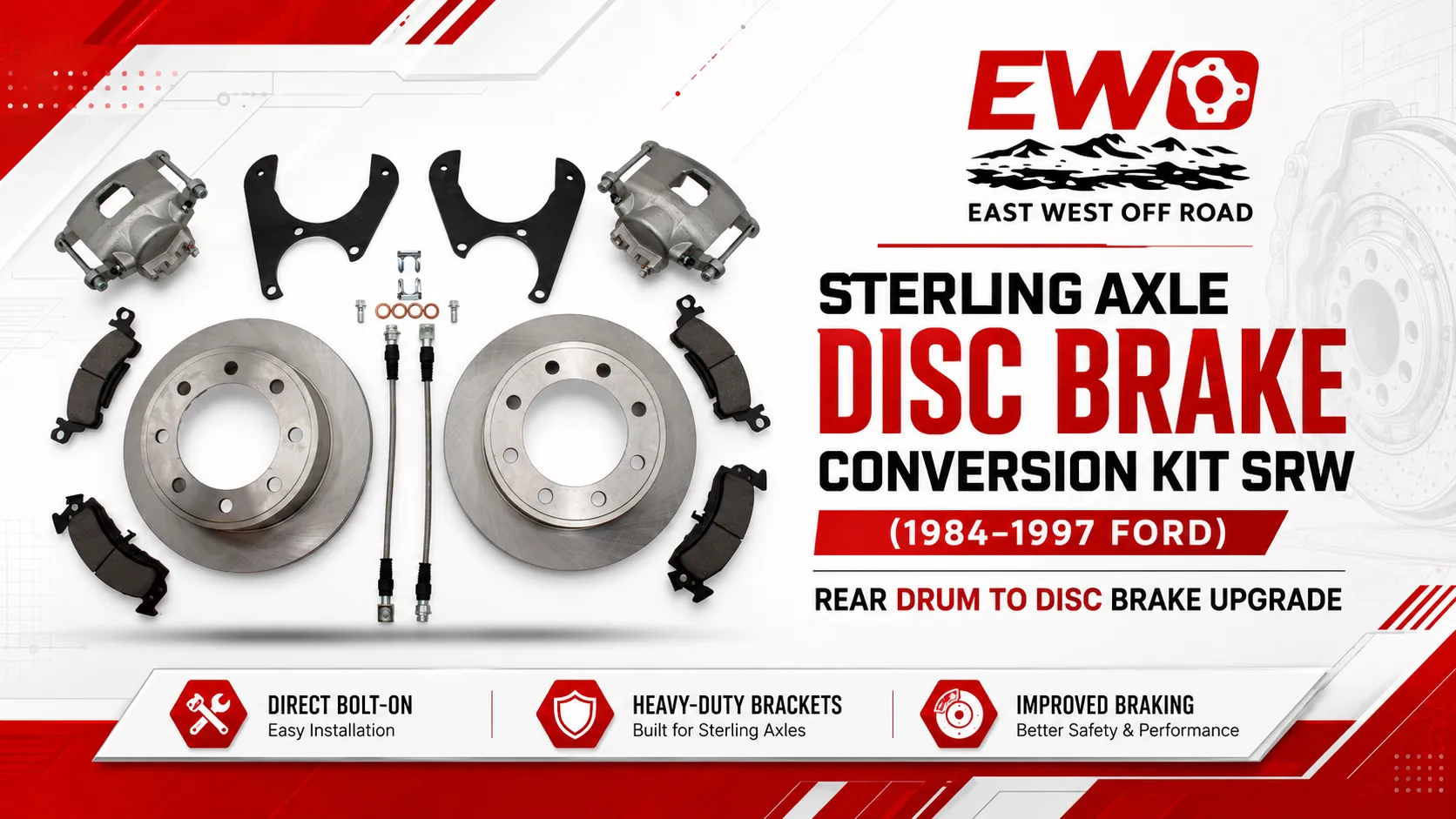
Upgrade your 1973-1987 Chevy or GMC 14 bolt full float axle to disc brakes. Bolt-on kit with parking brake option…
#14boltdiscbrakeconversionkit, #14boltsrwdiscbrakekit, #chevy14boltbrakeupgrade, #gm14boltdiscconversion, #14boltfullfloatbrakekit, #chevytruckbrakeconversion, #gmaxlediscbrakekit
Download Google Photos APK (FREE) - APKCream
Comments
سلام، من اخیرا در حال جستجو در اینترنت با این <br> <br> وبسایت رسیدم و واقعا برام جالب بود.<br> <br> <br> <br> اطلاعاتش خیلی کامل بود و به ندرت همچین منبعی ببینم.<br> <br> به نظرم برای...
سلام، من اخیرا در حال جستجو در اینترنت با این <br> <br> وبسایت رسیدم و واقعا برام جالب بود.<br> <br> <br> <br> اطلاعاتش خیلی کامل بود و به ندرت همچین منبعی ببینم.<br> <br> به نظرم برای افراد مختلف کاربردی باشه.<br> <br> اگر به دنبال منبع معتبر هستن حتما برن ببینن.<br> <br> در مجموع خوشماومد و قطعا باز هم سر میزنم<br> <br> <br> <br> خلاصهوار<br> <br> <br> <br> برای علاقهمندان به<br> <br> <br> <br> سیستمهای شرطبندی<br> <br> <br> <br> میخوان امتحان کنن<br> <br> <br> <br> این وبسایت<br> <br> <br> <br> میتونه<br> <br> <br> <br> به درد بخوره<br> <br> <br> <br> قابل توجهه که<br> <br> <br> <br> دامنههایی مثل<br> <br> <br> <br> enfеjaronline رسمی<br> <br> <br> <br> و<br> <br> <br> <br> sibbet<br> <br> <br> <br> کاربرای زیادی دارن<br> <br> <br> <br> در یک نگاه<br> <br> <br> <br> مناسب بود<br> <br> <br> <br> و<br> <br> <br> <br> حتما<br> <br> <br> <br> دوباره چکش میکنم<br> <br> <br> <br> .<br> <br> <br> <br> Feel free to surf to my webb blog - سایت سلامت معتبر, <a href="https://vdesigner.ir">vdesigner.ir</a>,